
Thermostat Redesign
A sustainable smart thermostat redesign that makes energy saving intuitive, affordable, and human-centered.
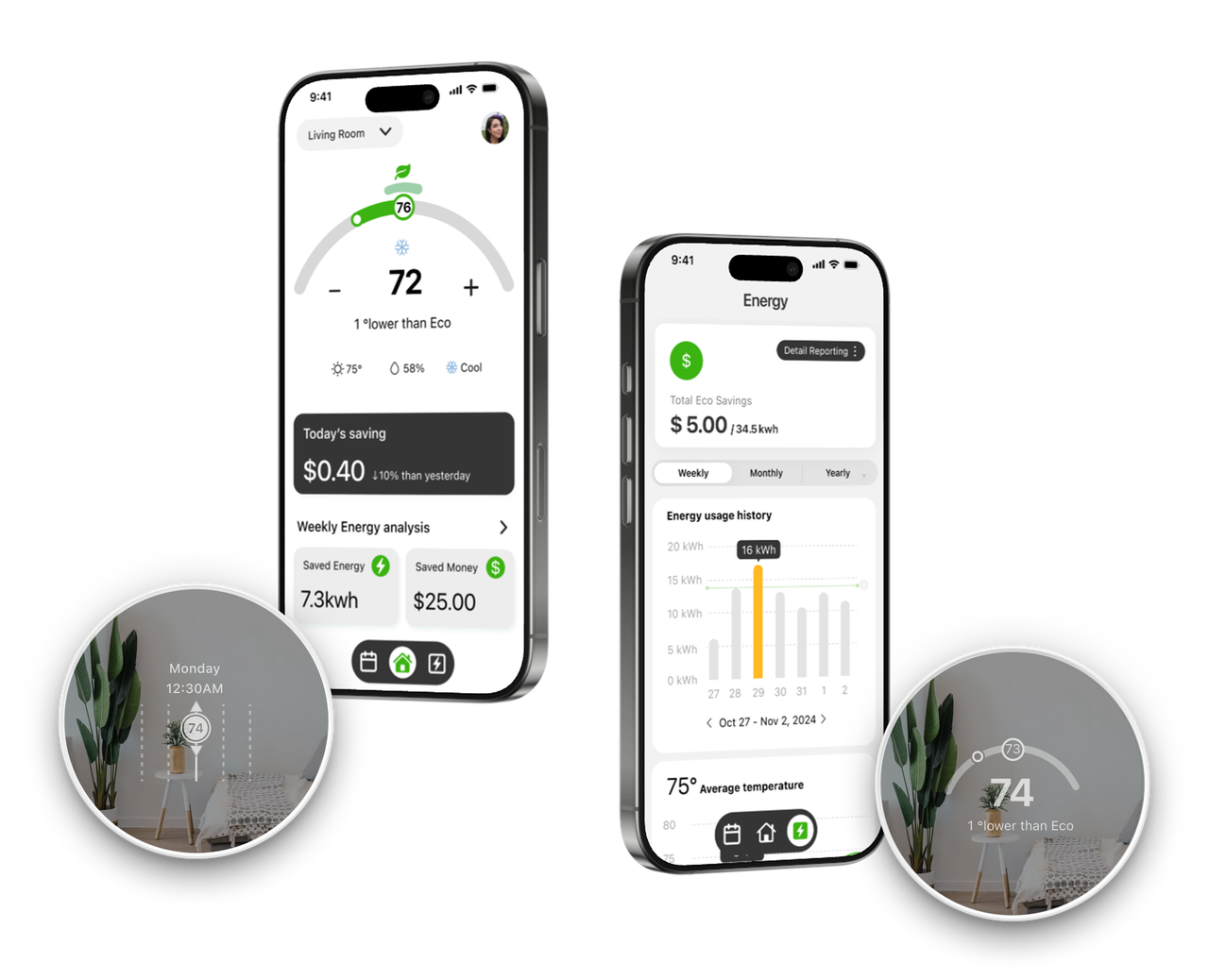
A sustainable smart thermostat redesign that makes energy saving intuitive, affordable, and human-centered.
Make saving personal.
This project is a UX redesign of the Google Nest Thermostat system (device + app), aimed at creating an intuitive, data-driven experience that makes energy saving feel personal while enhancing everyday smart home use.
How to turn complex energy data and system constraints into an intuitive, trustworthy smart home experience that everyday users can understand and act on without anxiety or effort.
As the team lead, I led the end-to-end UX design process—from user research to task flows, wireframes, and prototypes—and established a cross-platform design style guide. I also collaborated with the team on social-facing materials, including a magazine, posters, and lookbooks.
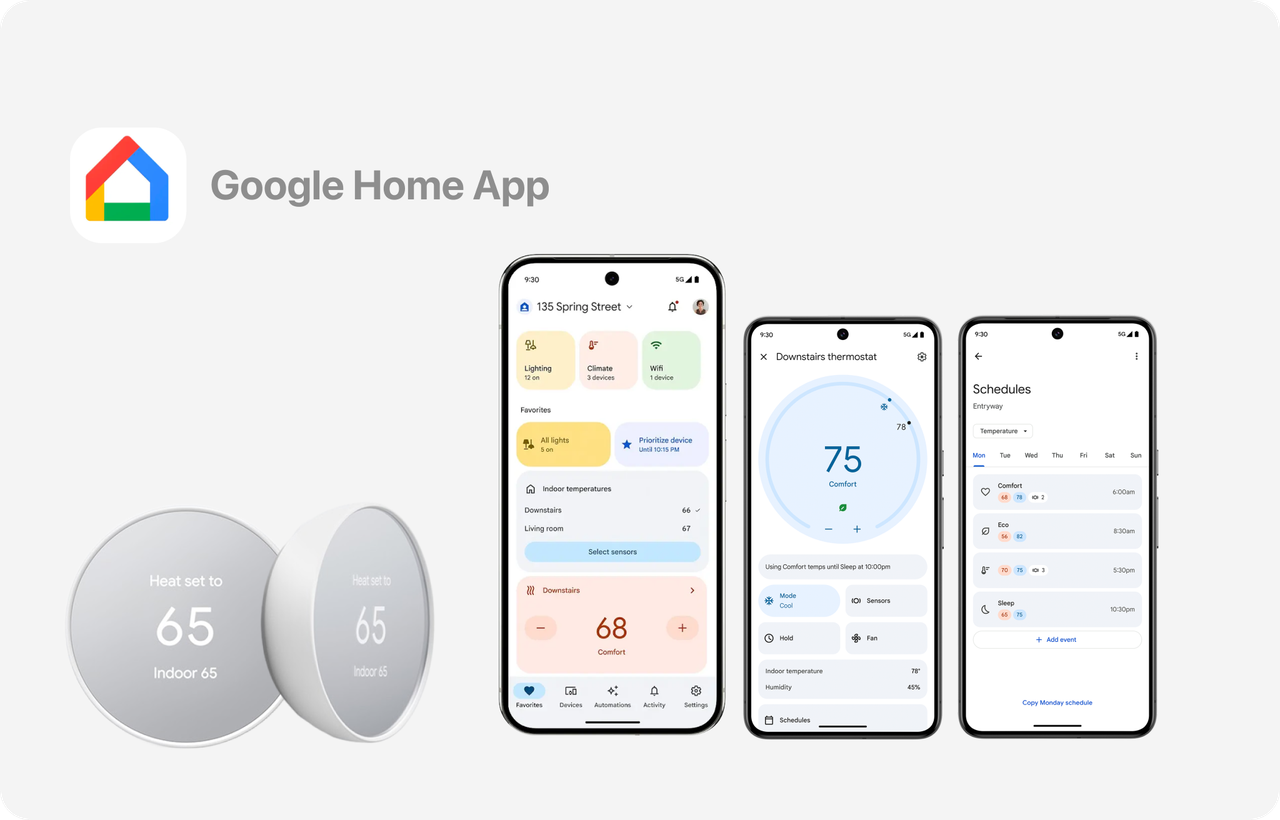
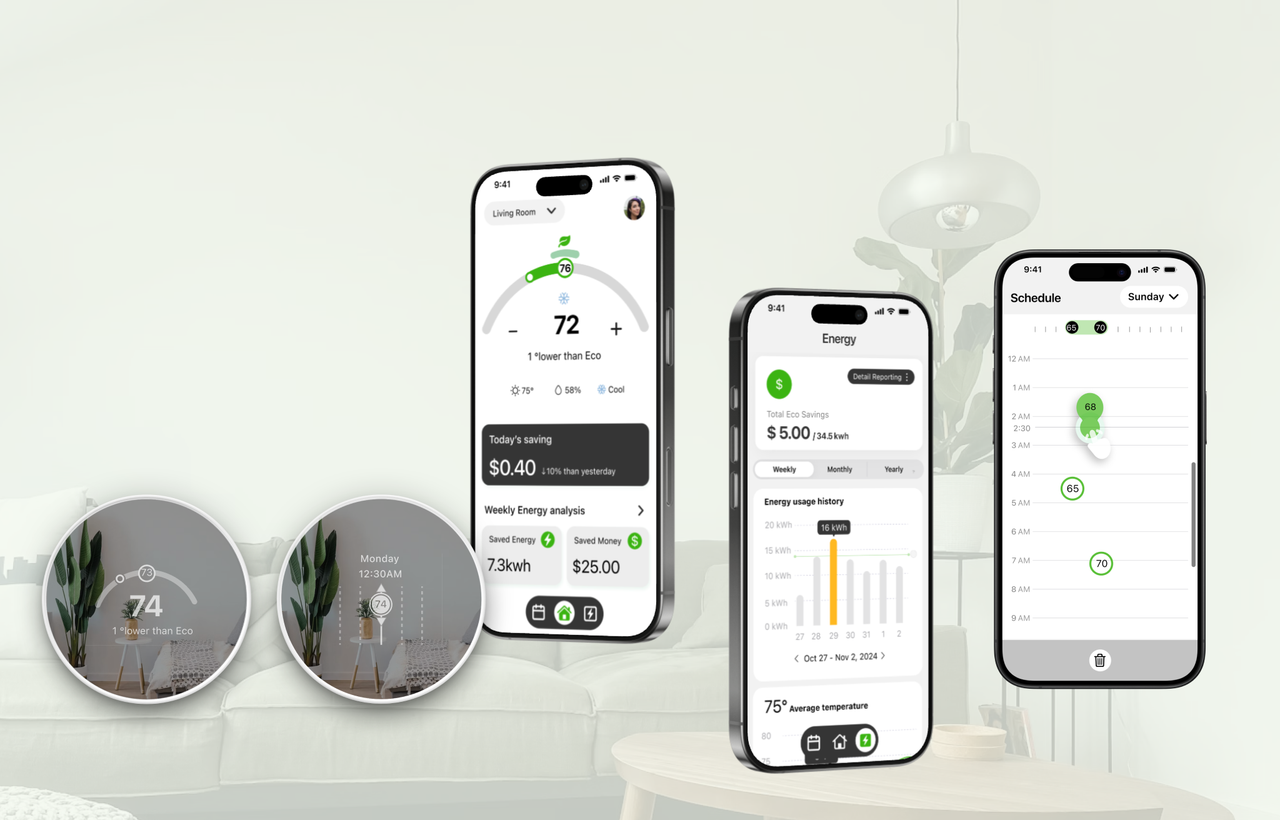
Google Nest is a smart home product line that includes devices like the Nest Thermostat, designed to offer convenient control, automation, and energy savings through an integrated app—creating a more connected and efficient home experience.
Target User: Home users who want to save on energy bills while maintaining a balance between comfort and cost struggle to understand how thermostat settings translate into real savings.
Users seeking an eco-friendly and affordable smart thermostat often feel overwhelmed by complex interfaces and unclear energy feedback.
Through early foundational and usability research, we identified friction points in the thermostat's core workflows—especially around scheduling and real-time temperature control—while also establishing a clear visual direction.
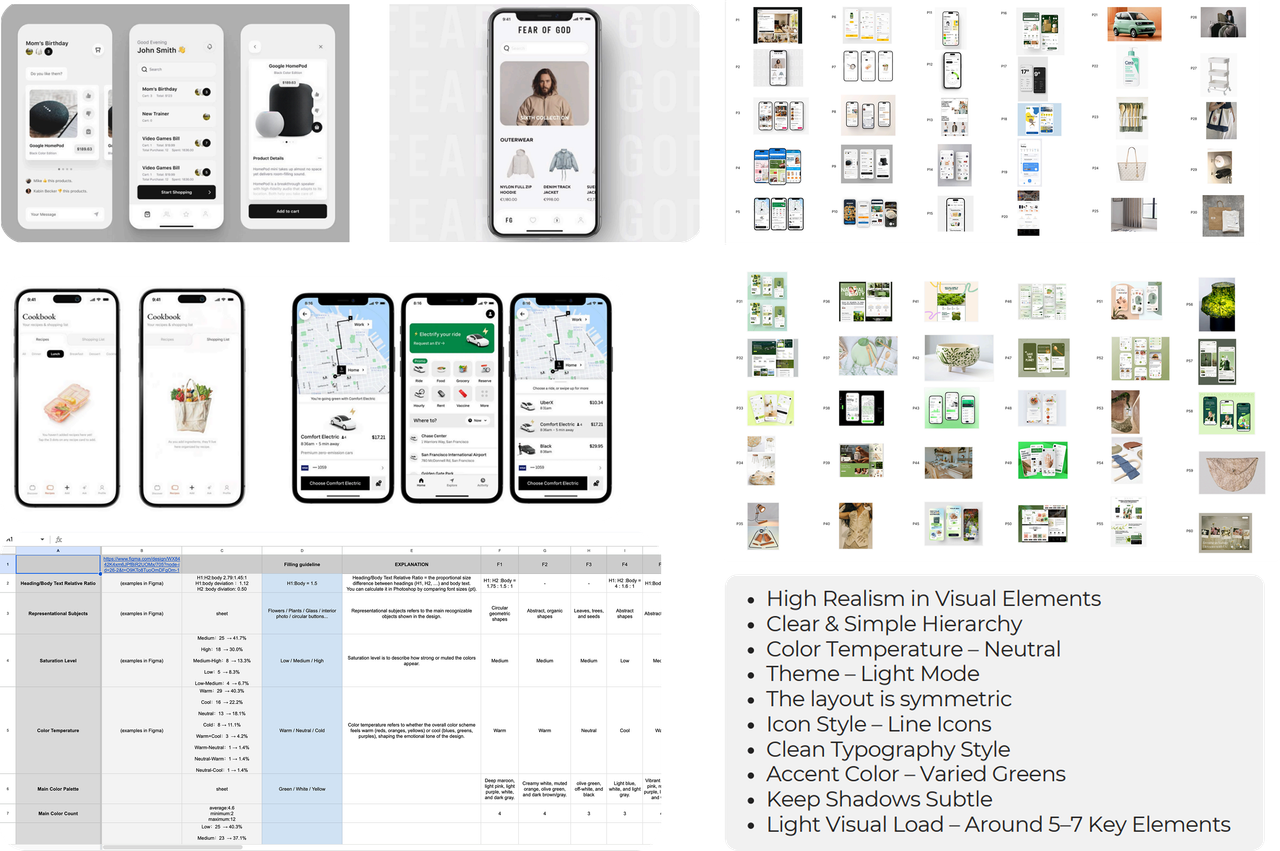
Analyzed 500+ visual cases, built 10 design criteria to define guidelines and market directions for a Green & Affordable design system.
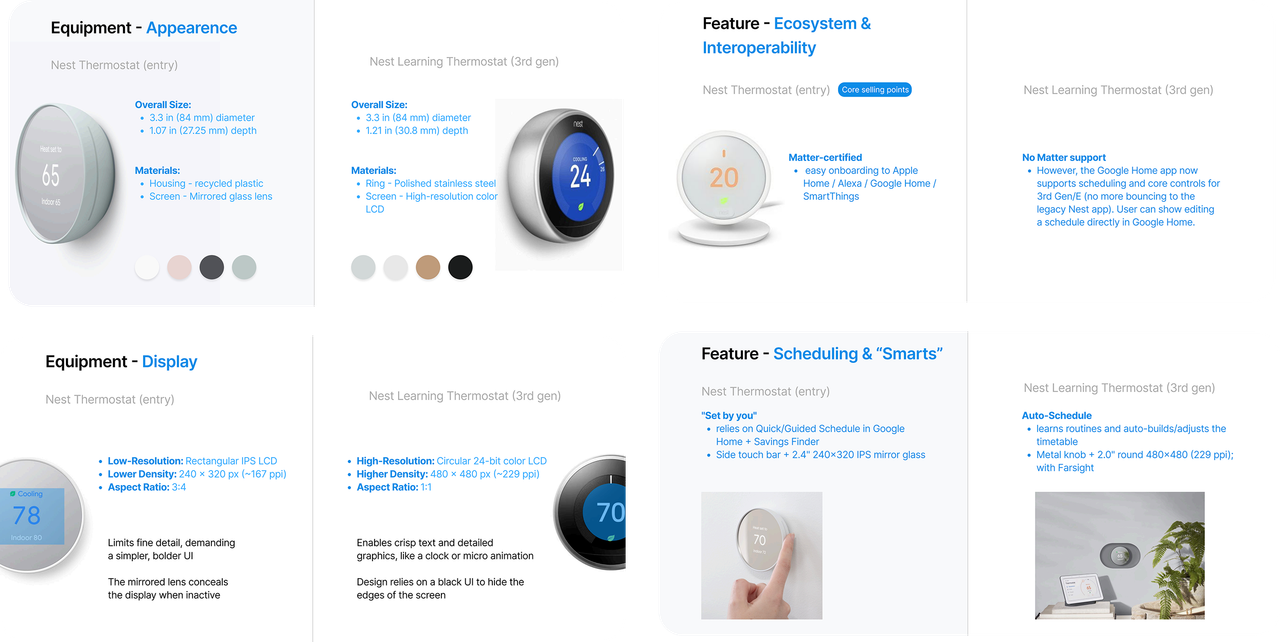
Analyzed system constraints and device interaction patterns to ensure realistic, manufacturable solutions.
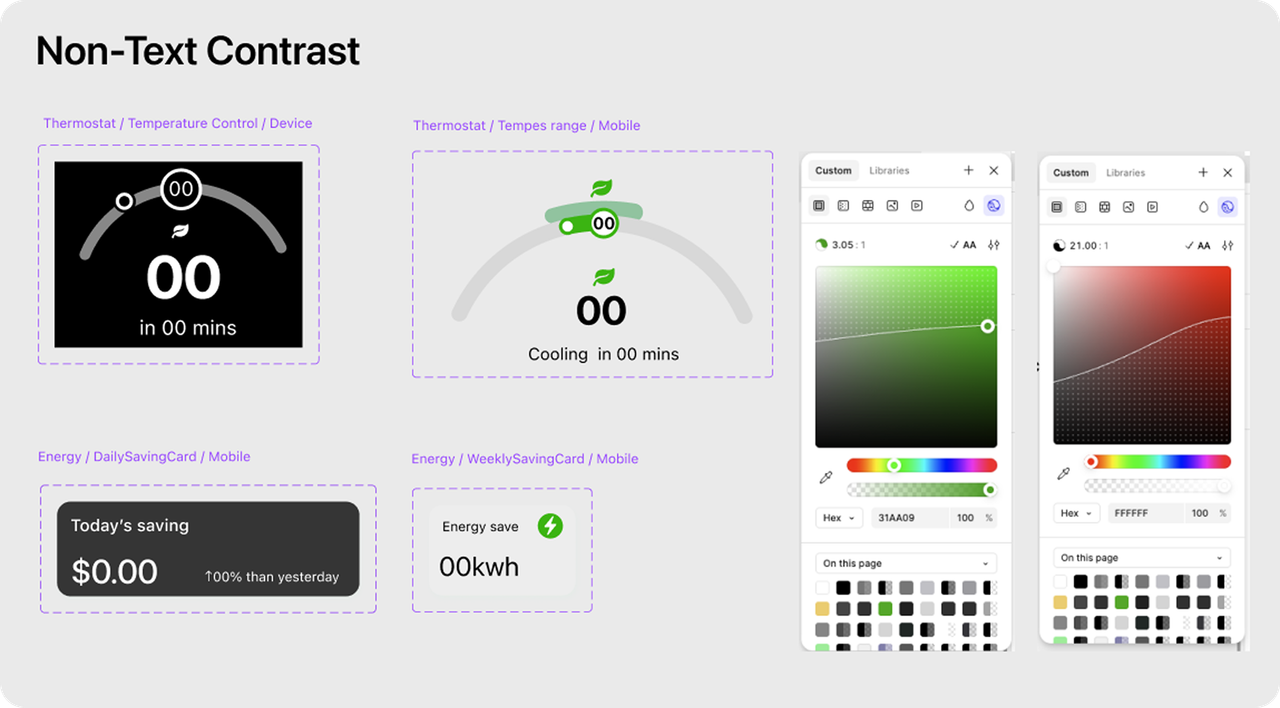
Focus indicators need to be designed with a minimum 3:1 contrast against adjacent colors.
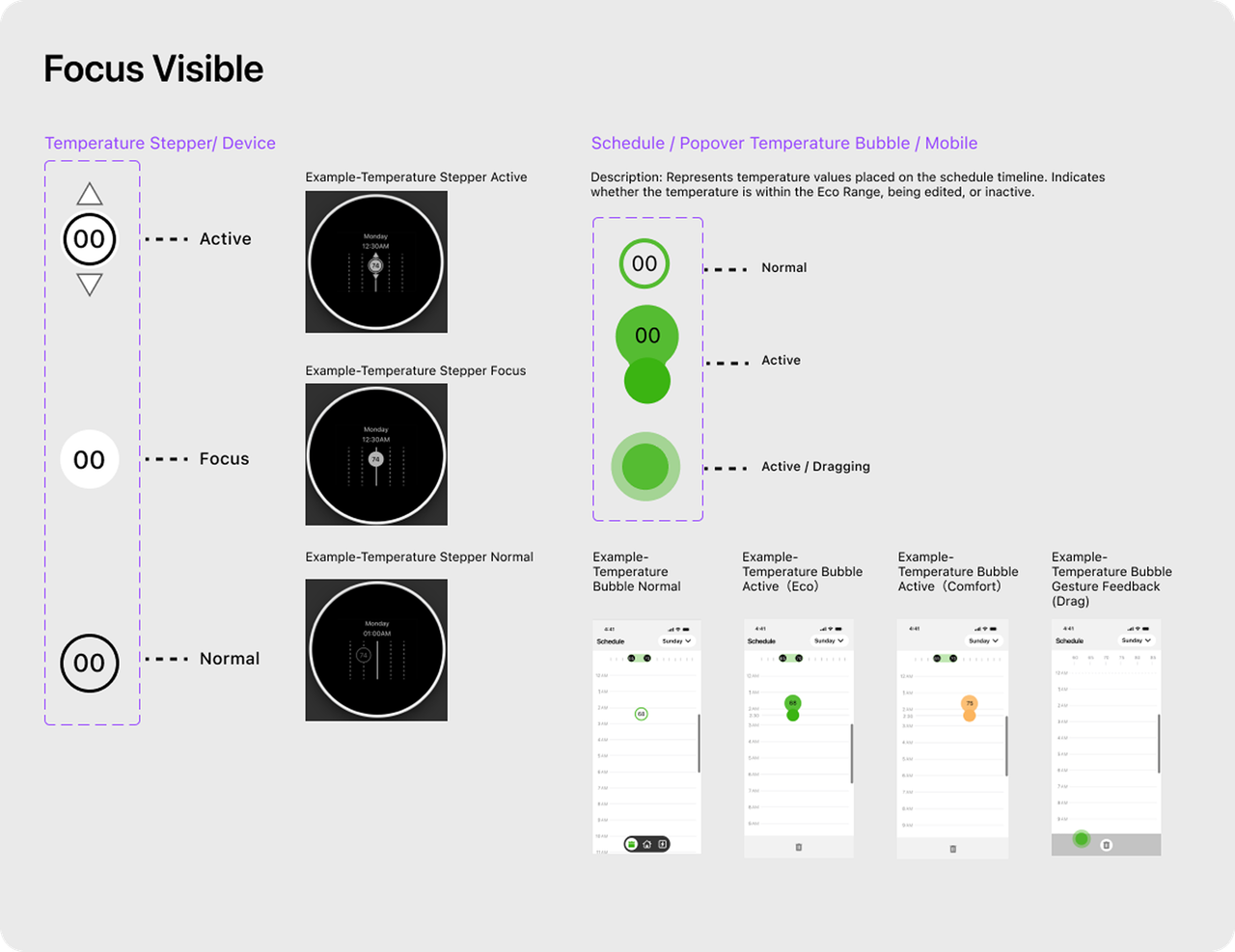
Visible focus states should be applied to ensure users can always identify the currently focused control.
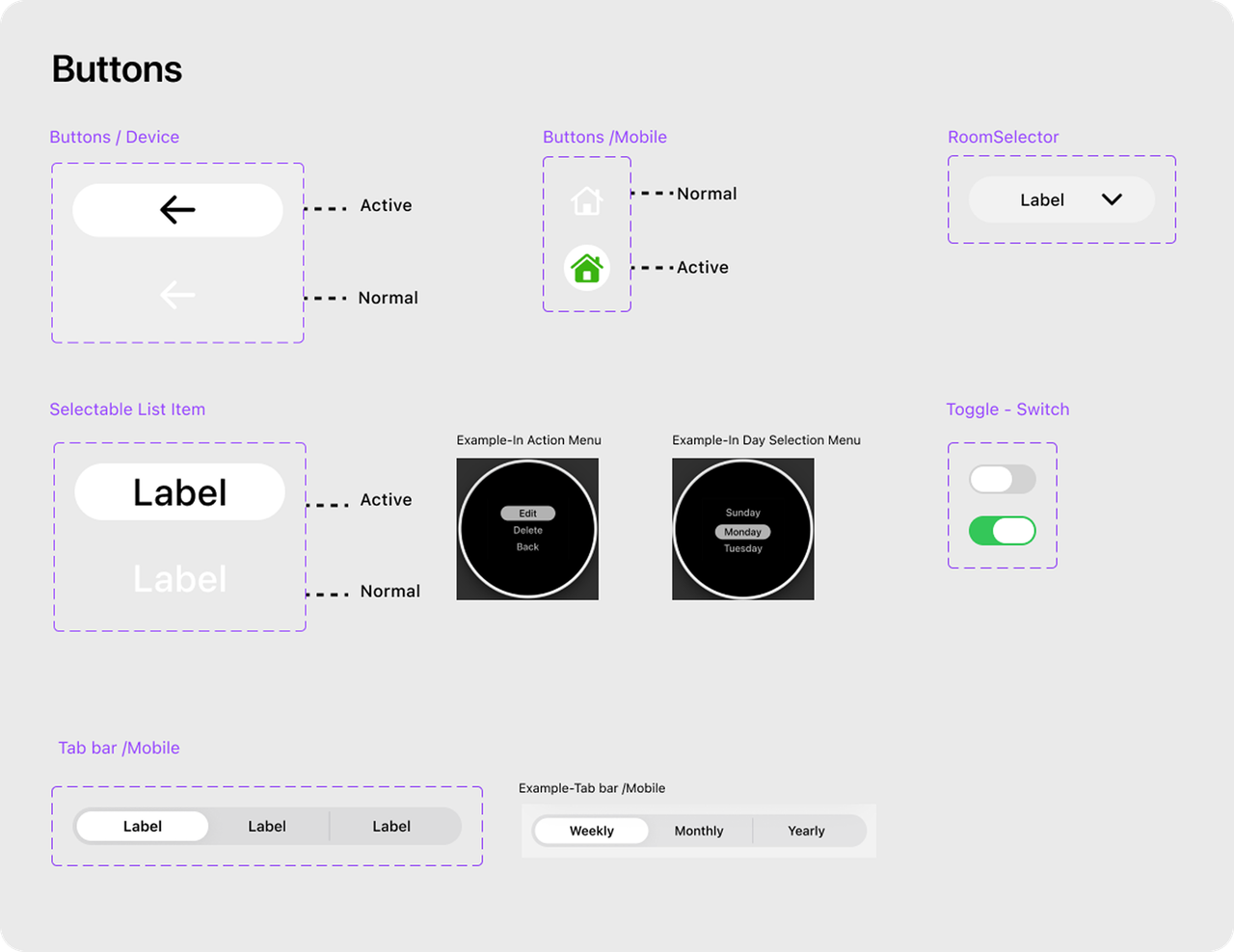
Button states should communicate action readiness and outcome through distinct visual feedback.
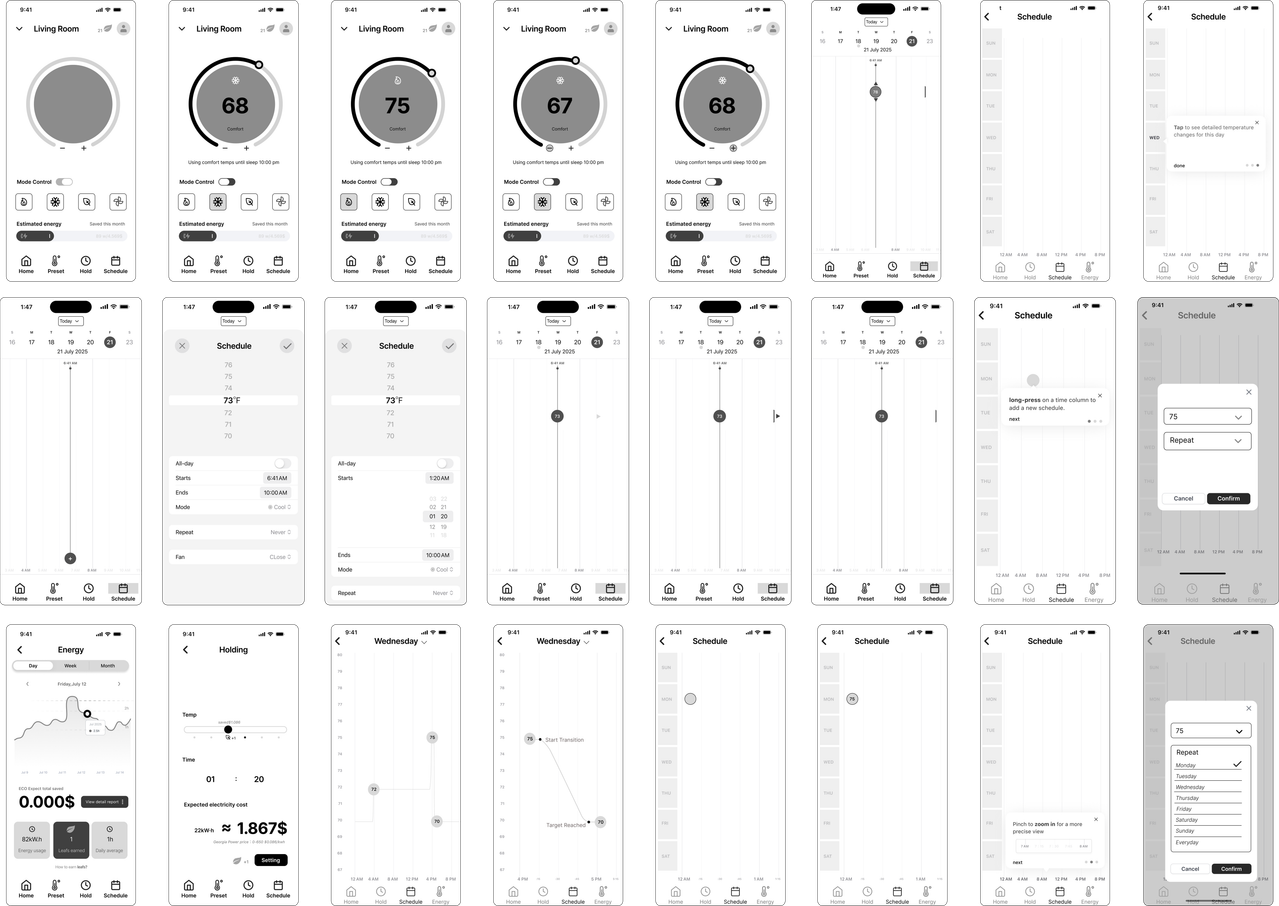
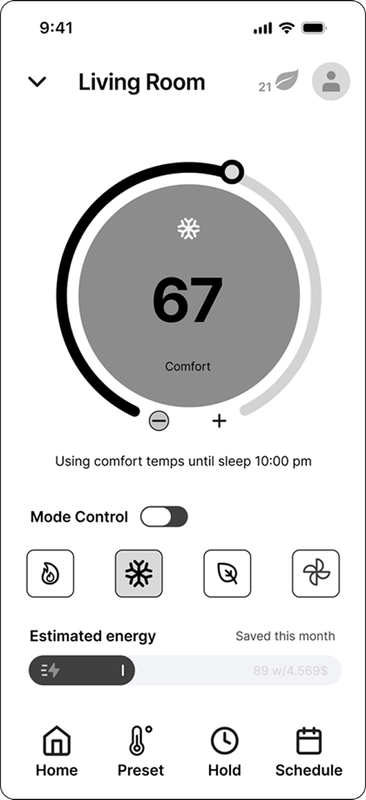
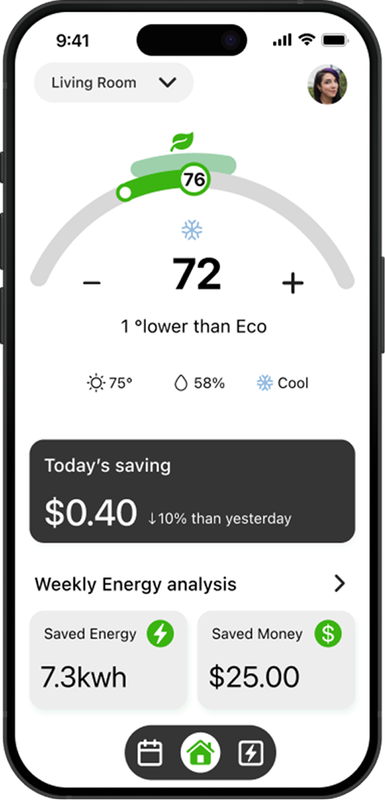
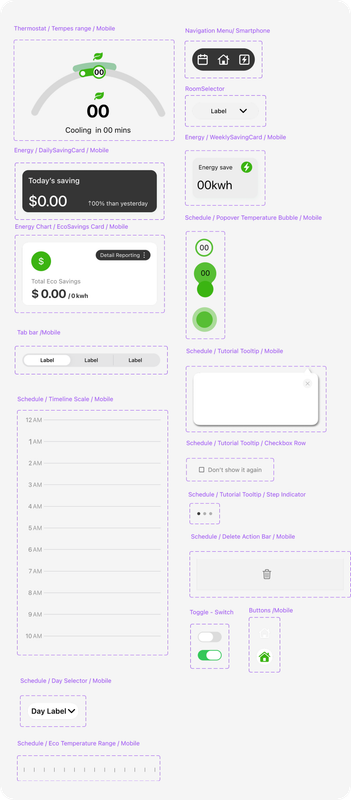
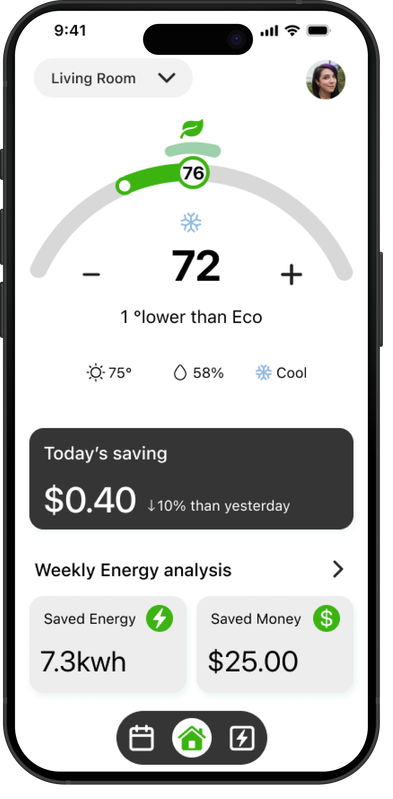
Real-time Eco range feedback helps users instantly see how their chosen temperature affects efficiency and savings.
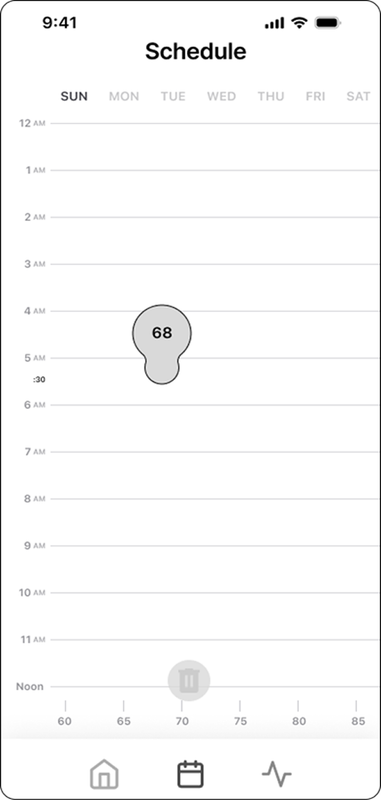
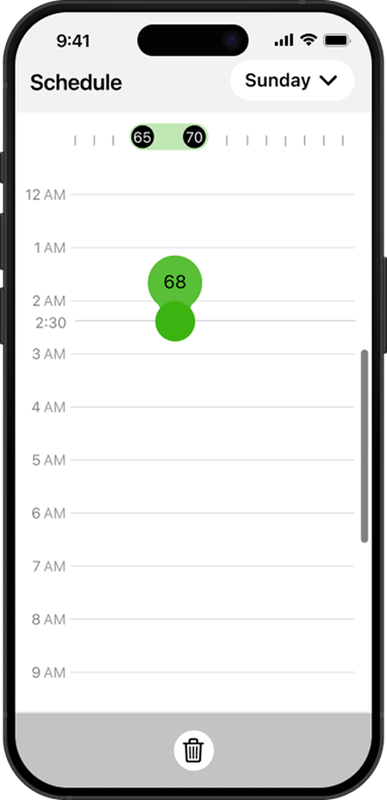
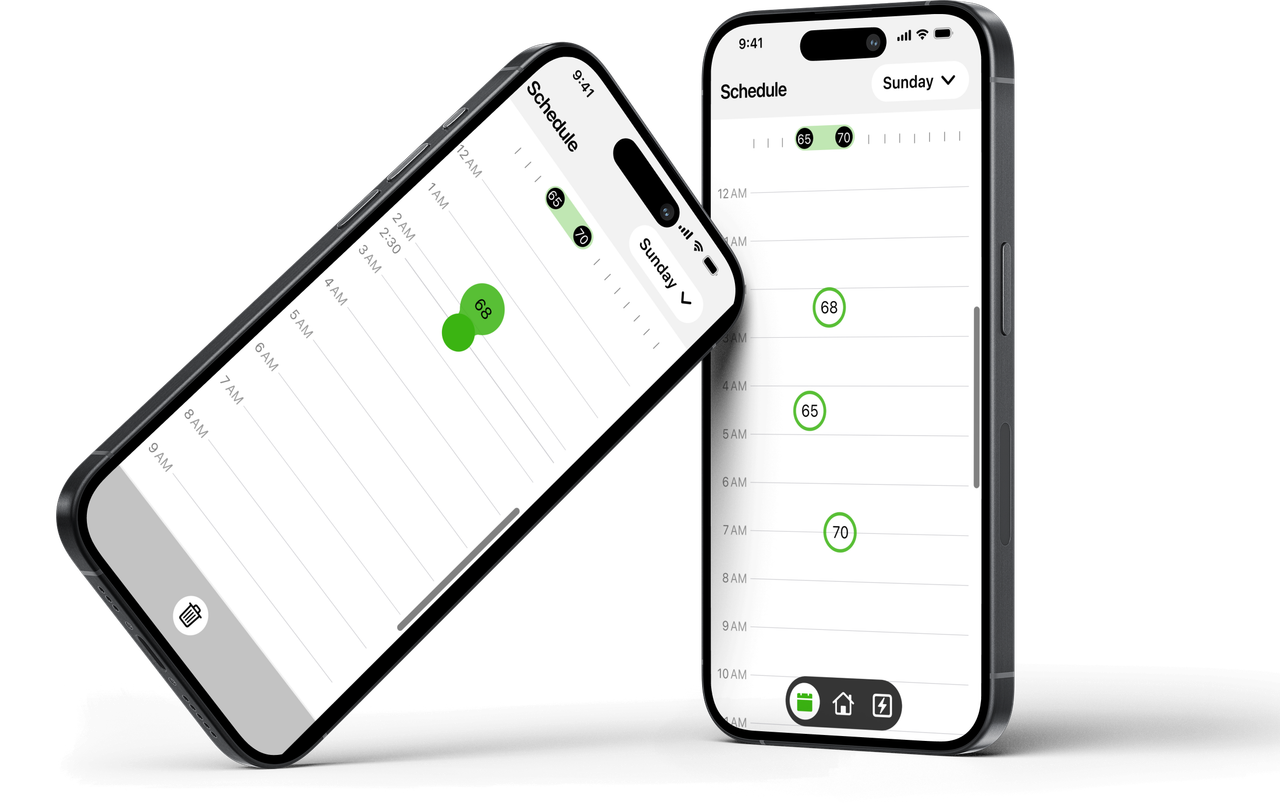
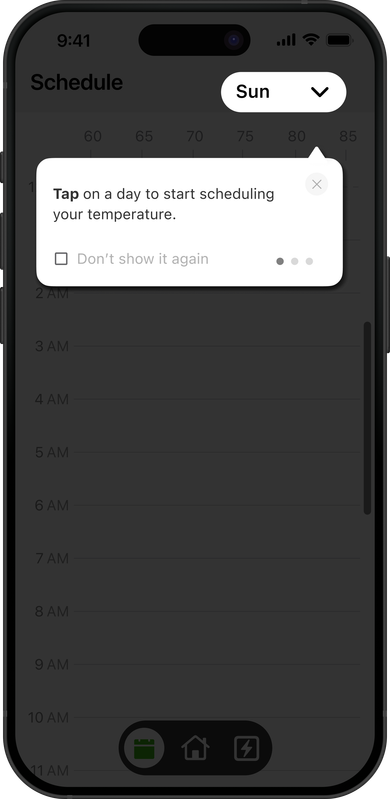
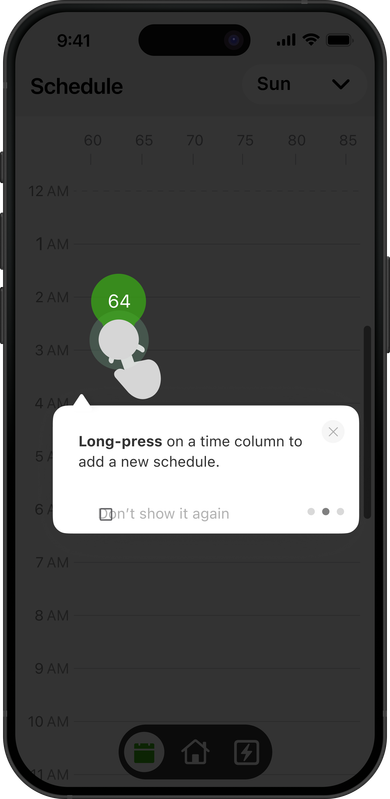
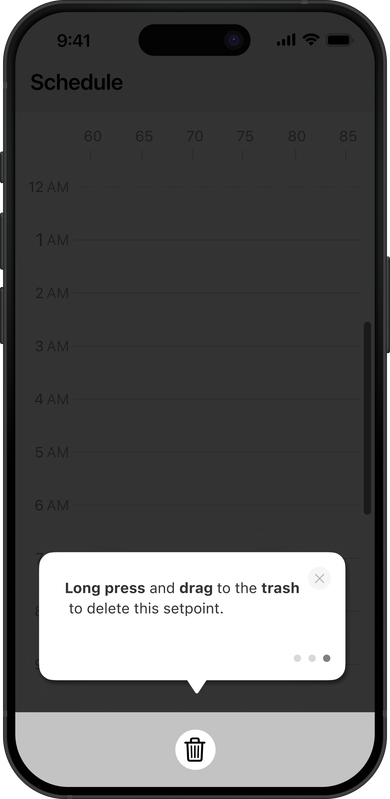
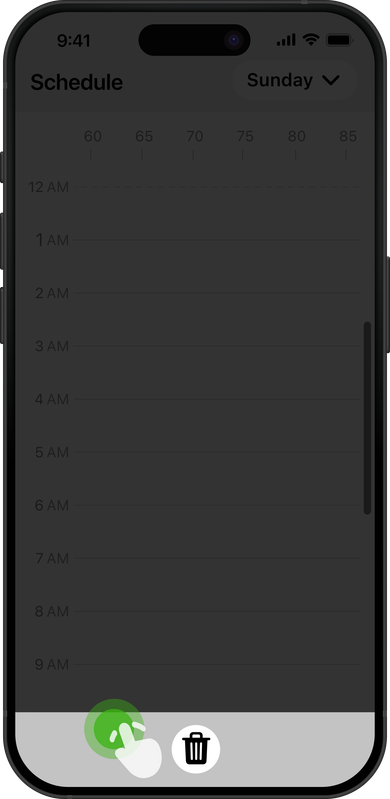
Users can tap or drag to add events, with clear visual states that highlight active schedule blocks.

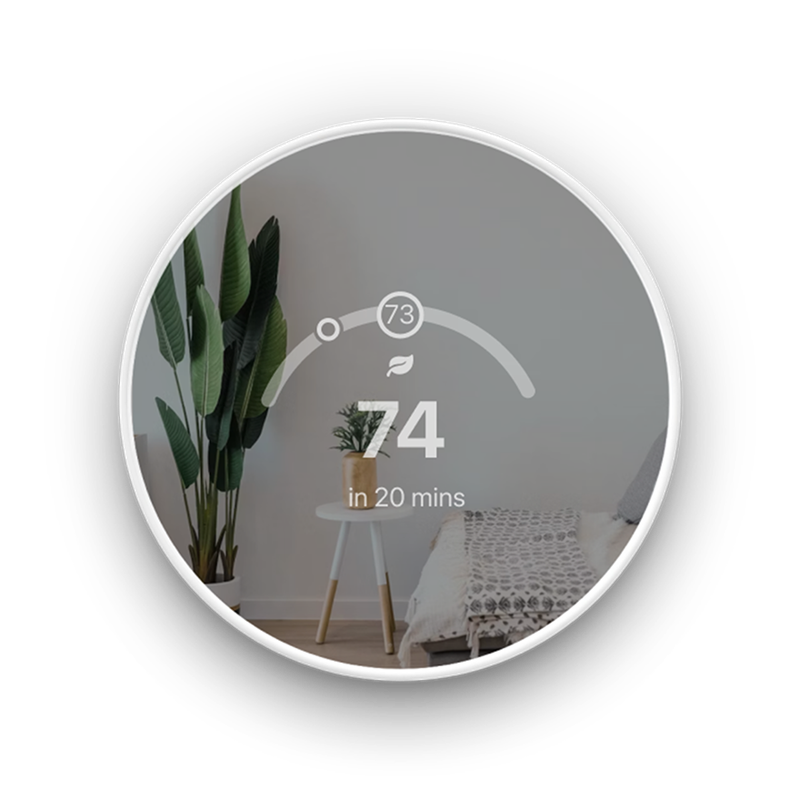
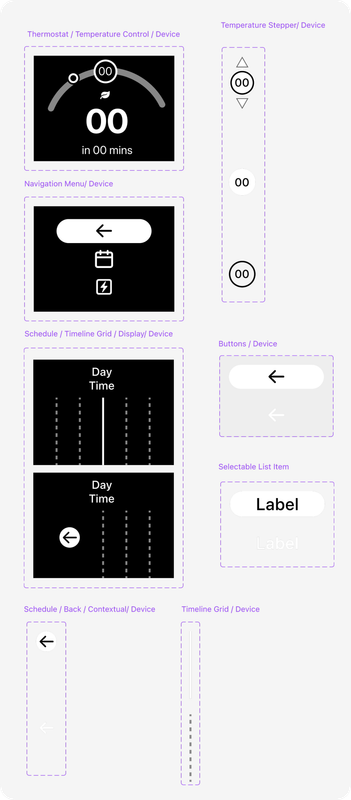
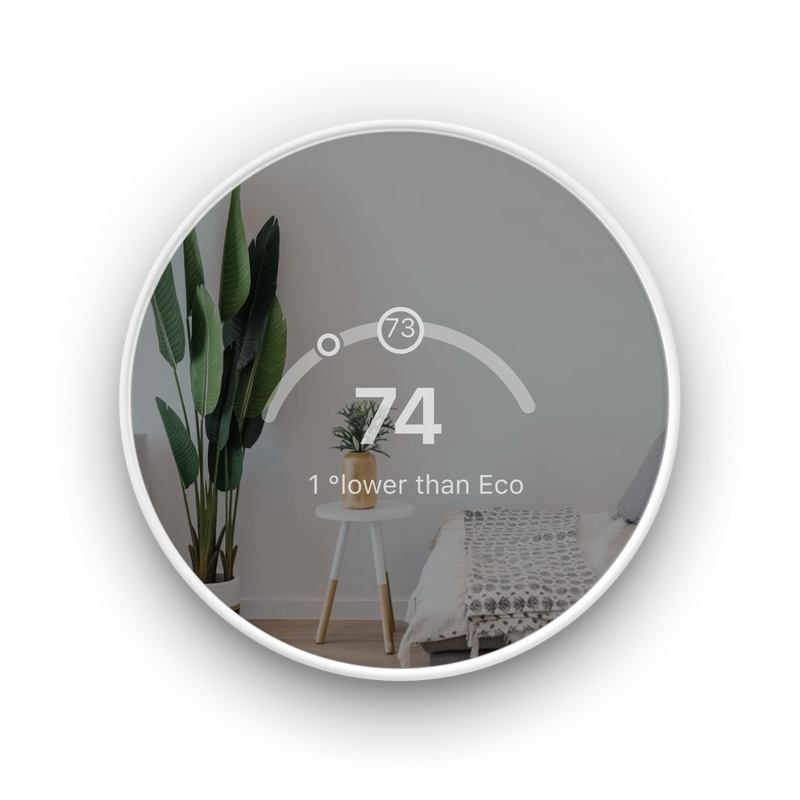
The redesigned dial improves readability and highlights the current temperature more distinctly.
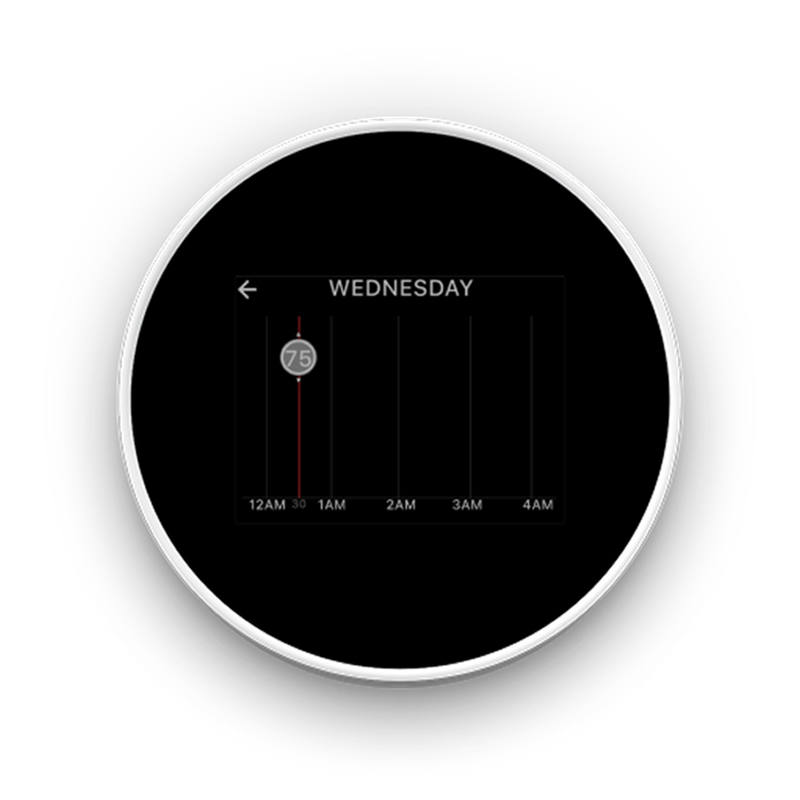
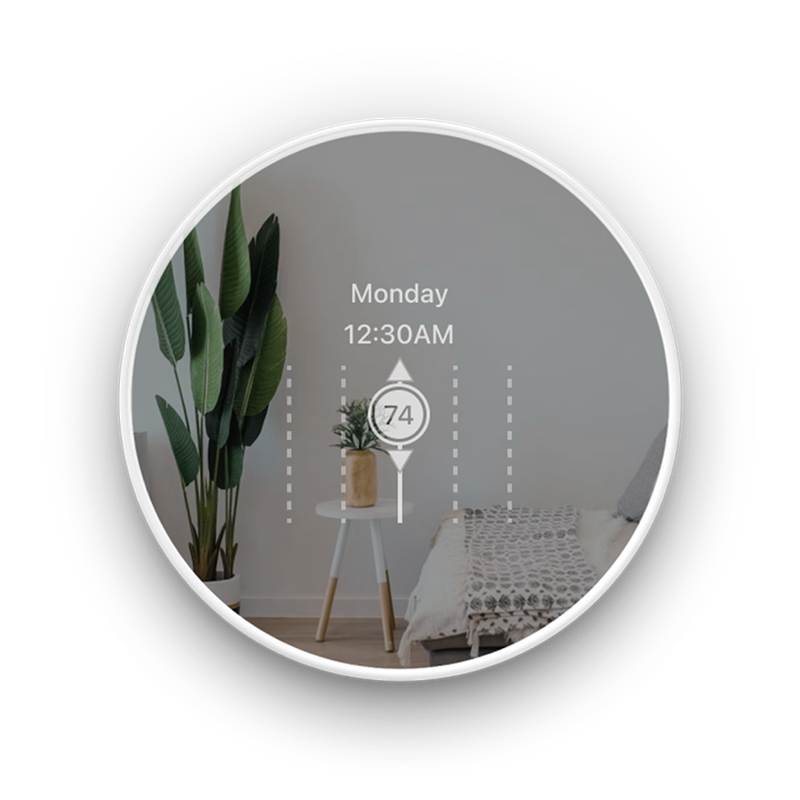
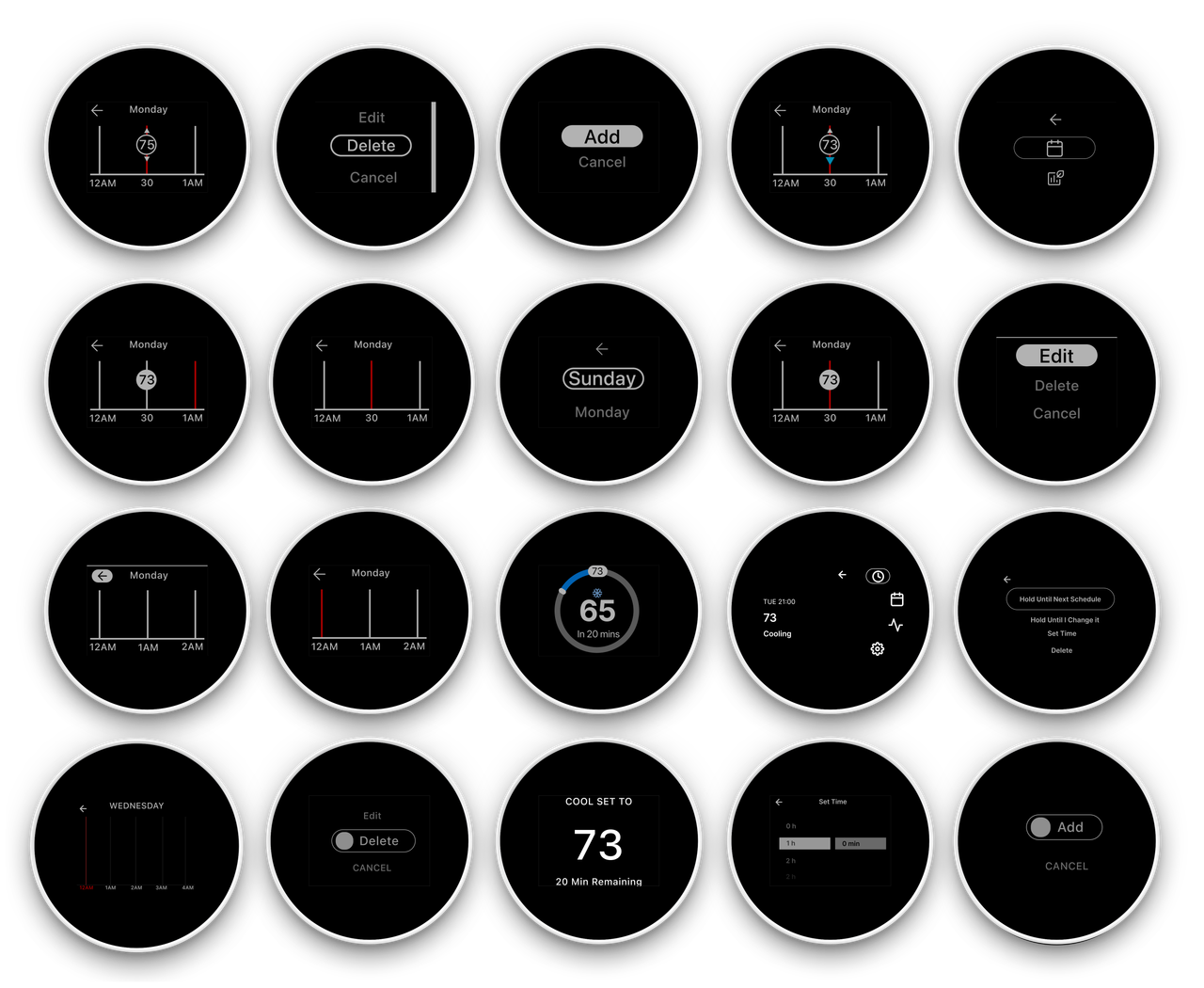
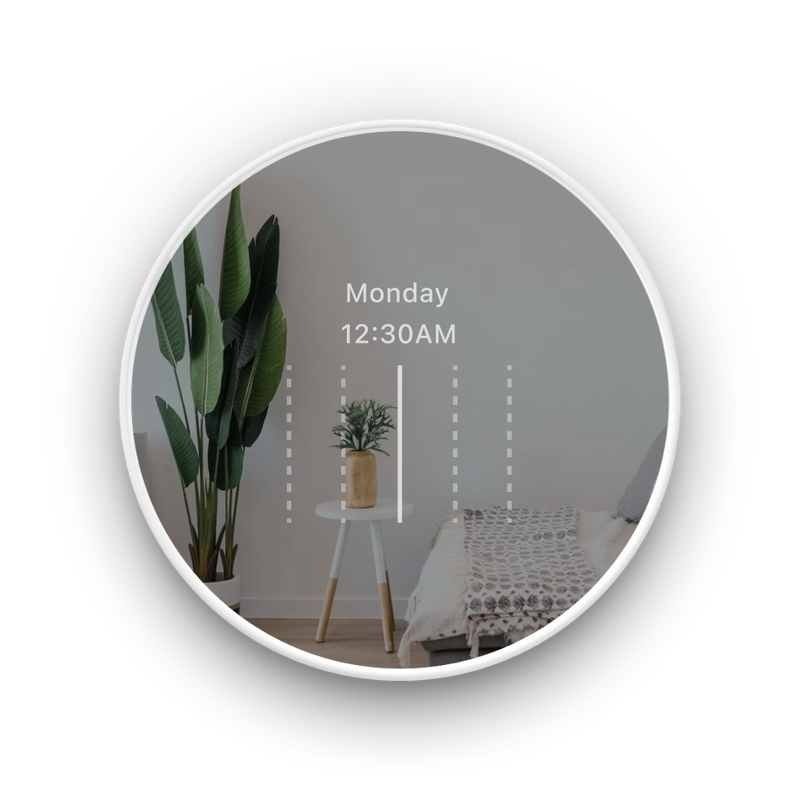
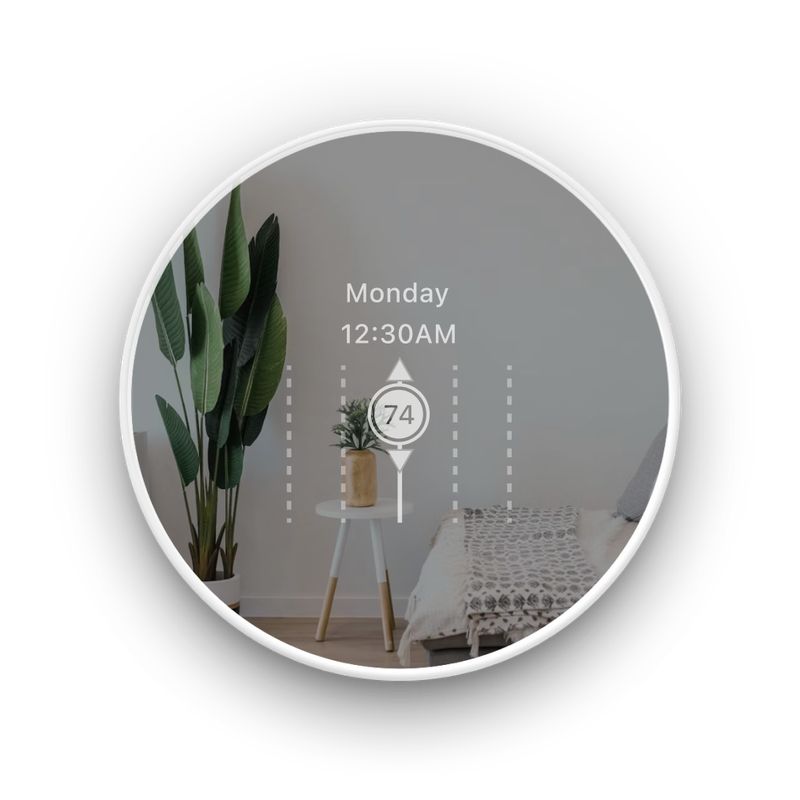
The device timeline now shows events and focus states more clearly for easier on-device adjustments.
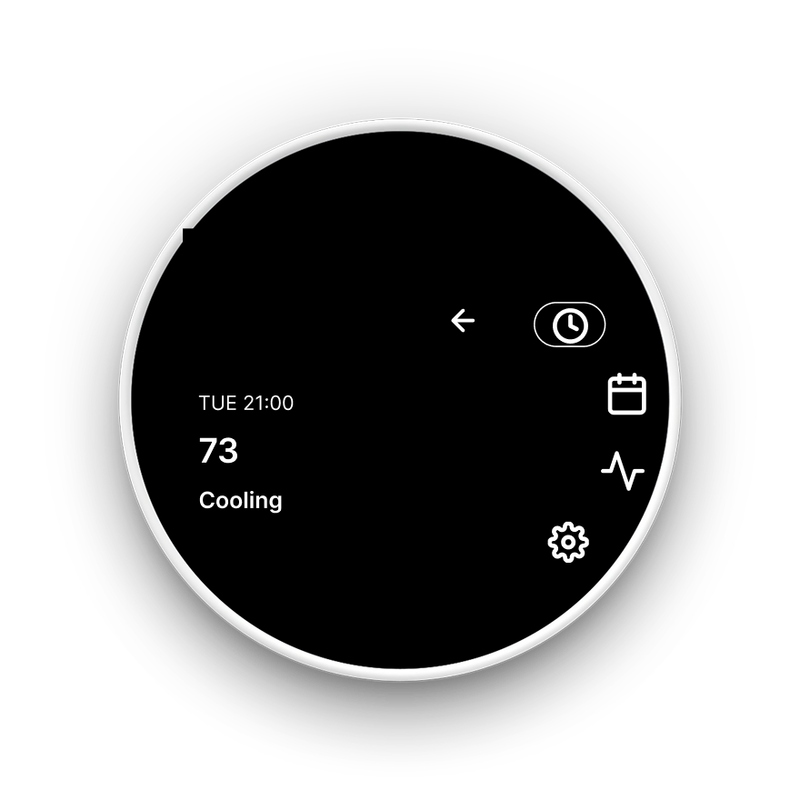
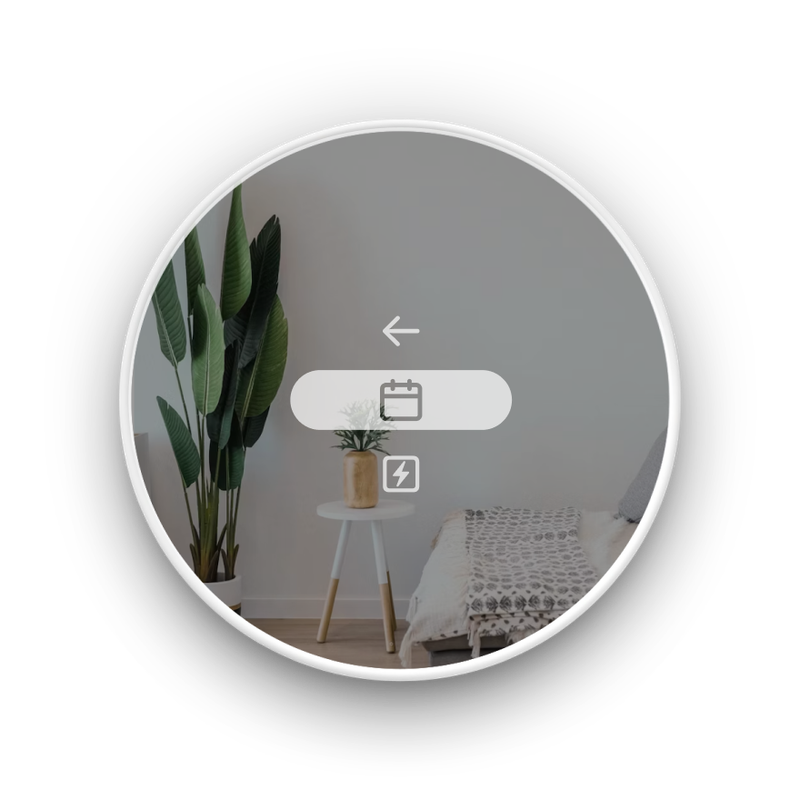
The updated menu layout is now clearer and more intuitive, making key actions easier to find.
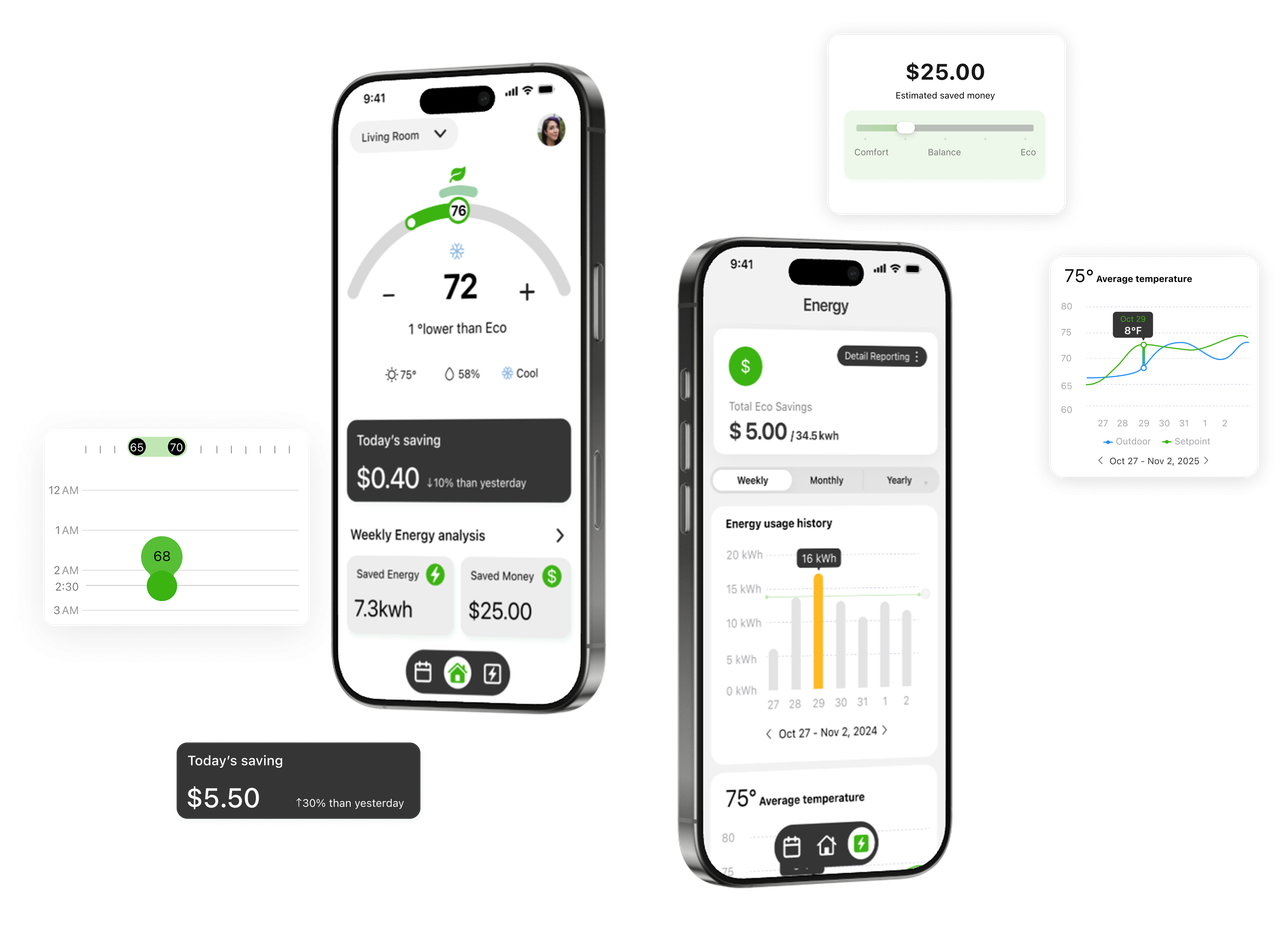
A clearer, smarter way to save.
Set the temperature, see your impact, and watch your savings grow—effortlessly.
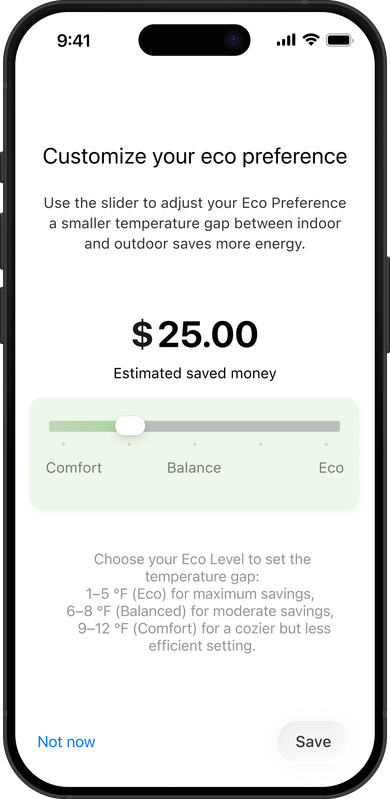
Adjust how eco you want to be without giving up comfort.
Use the slider to set your own comfort–eco level and control savings in a way that feels right for you.
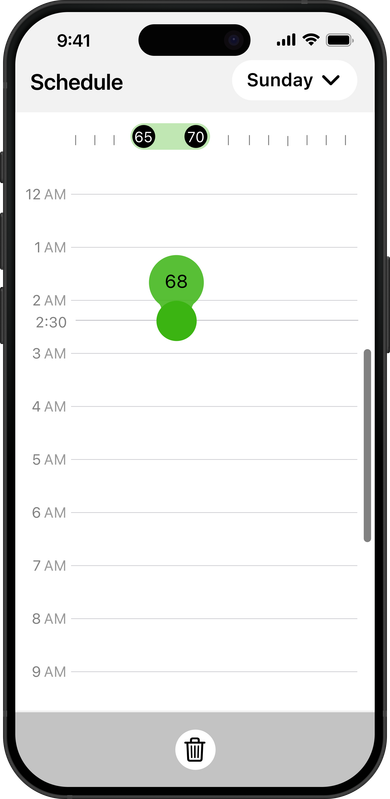
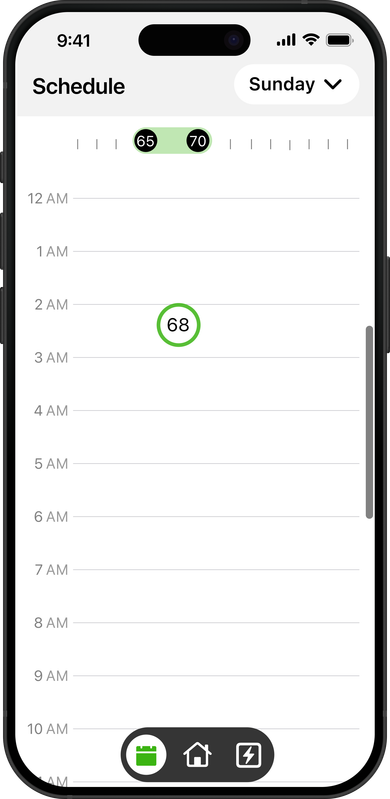
Create A Schedule That Matches Your Routine. Set Your Ideal Temperatures For Each Time Of Day, And Your Thermostat Will Handle The Rest — Saving Energy Automatically, Without Extra Effort.
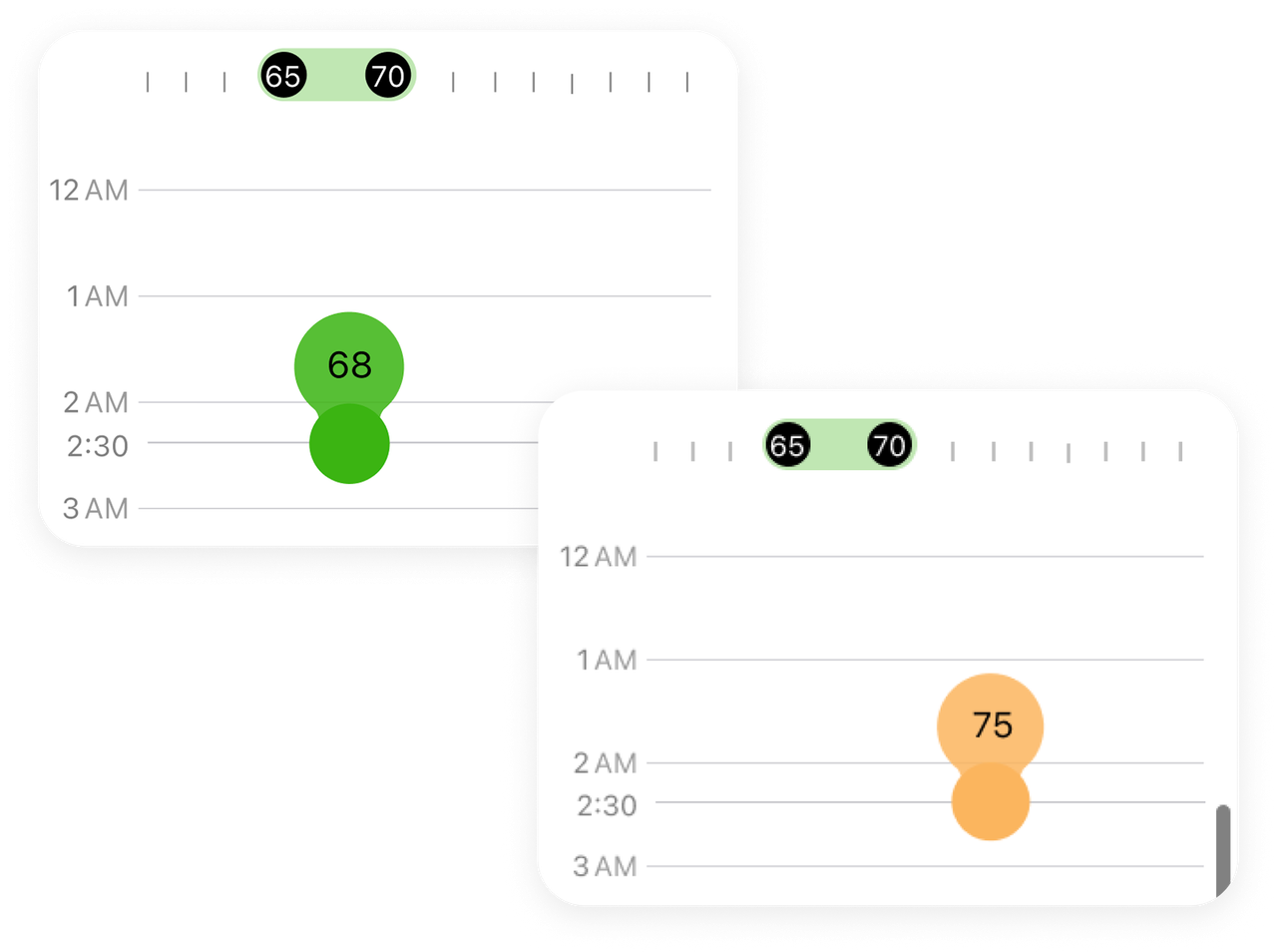

Users Can Tap Or Drag To Create A Schedule, And When The Temperature Goes Outside The Eco Range, It Automatically Turns Orange To Alert Them.
Before Entering The Schedule Page, Users Are Guided With Simple Tips On How To Create And Manage Their Temperature Events.
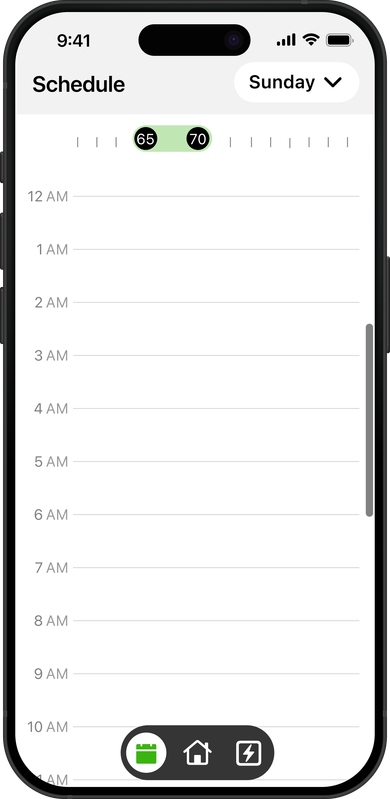
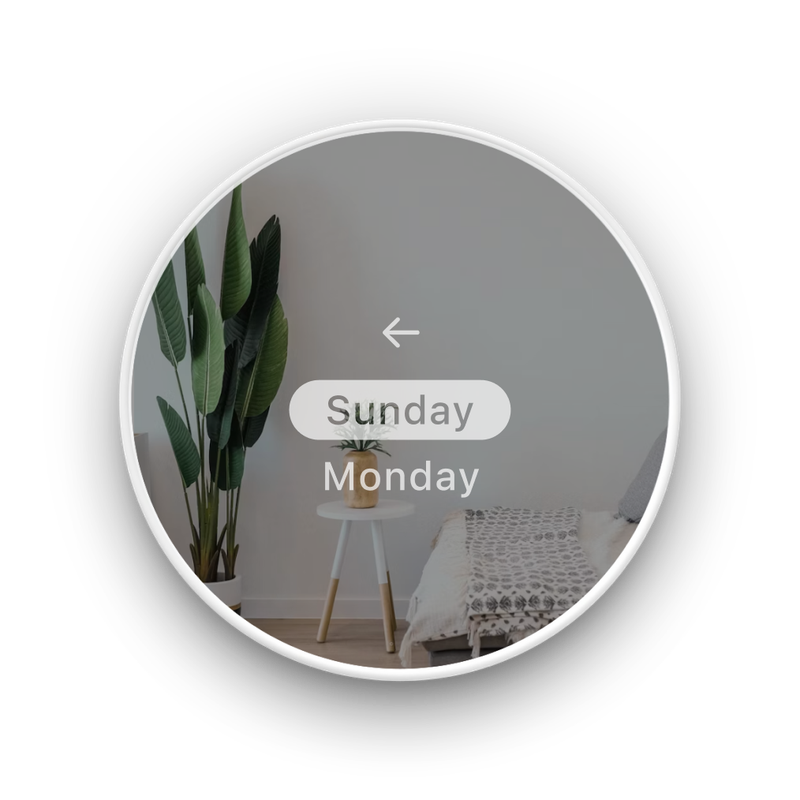 Back
Back
 Choose the day
 Choose the time
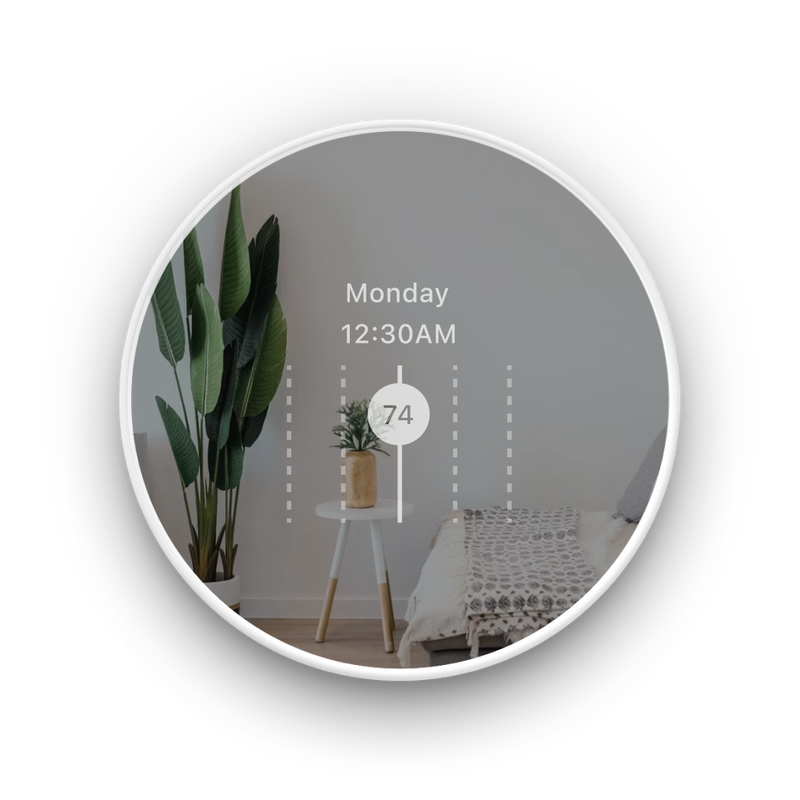 Active setting schedule
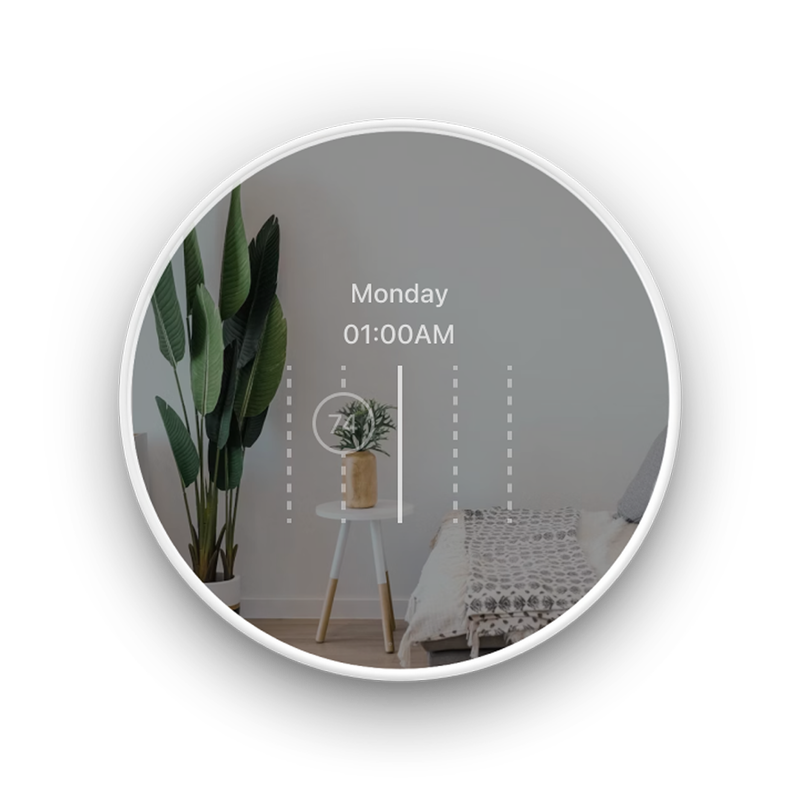 Focus state
Fine-Tune Your Temperature Exactly The Way You Want It. Every Degree And Every Moment Is Easy To Control, Giving You A More Accurate And Effortless Way To Manage Your Comfort.
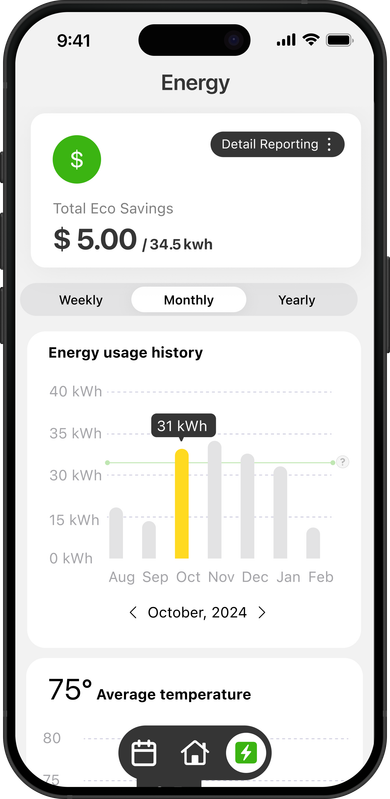
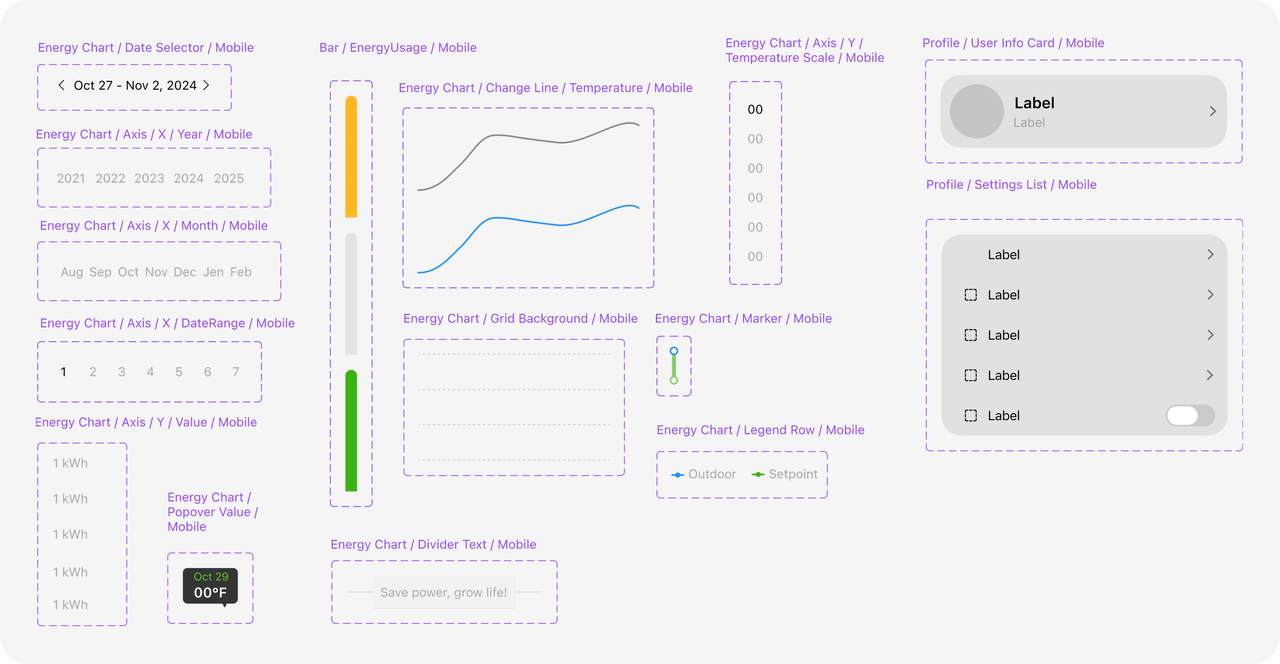
Users can choose a specific day to see precise energy usage and compare outdoor temperature with their setpoint.
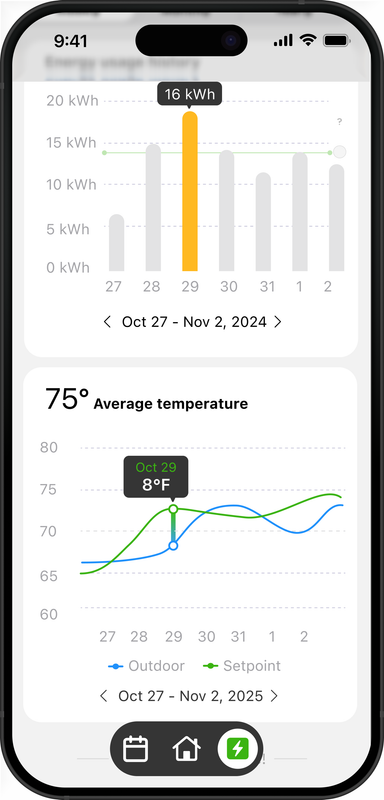
A larger temperature gap results in lower energy efficiency, while a smaller gap leads to greater savings.
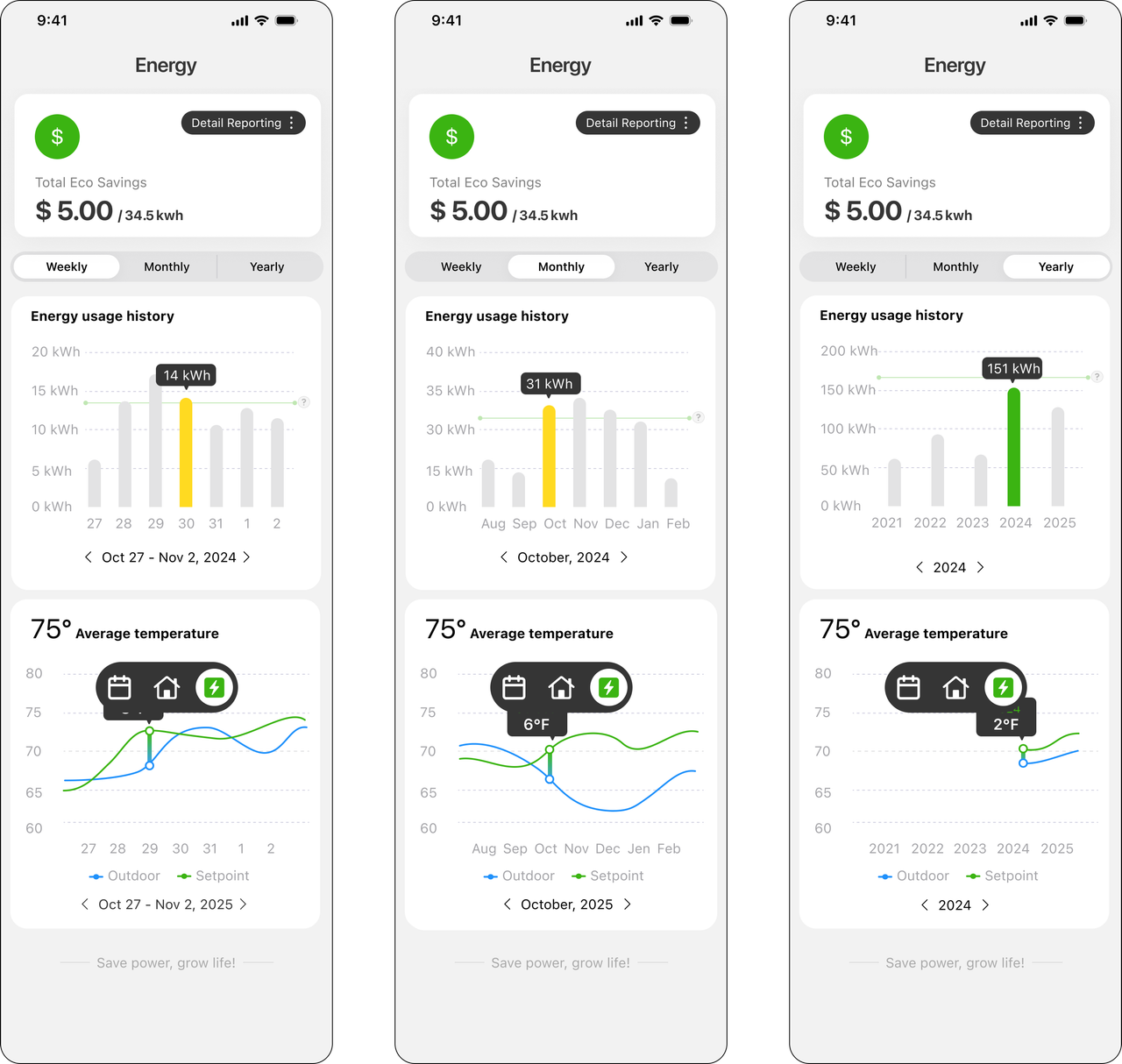
Clear charts show exactly how your energy habits impact your costs — daily, weekly, and monthly.
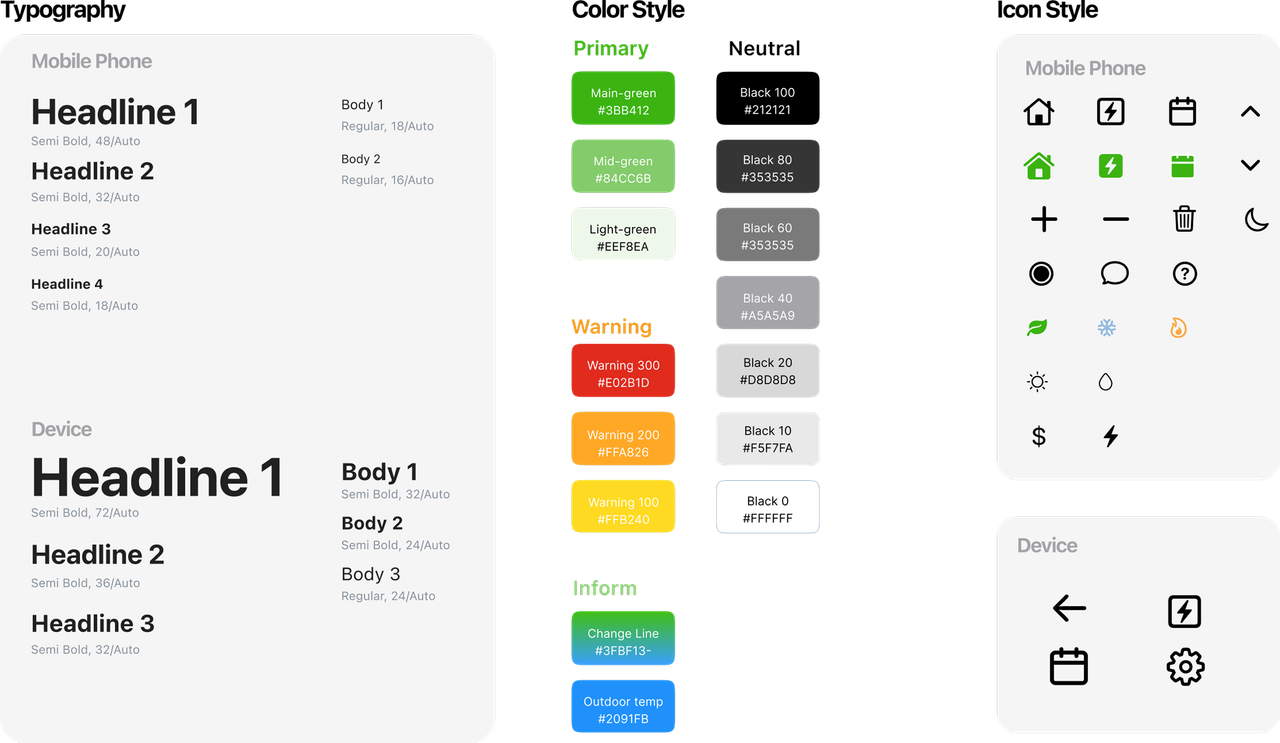
A scalable, accessible design system that bridges device and app experiences through consistent interaction logic and visual language.